How to set up a loyalty scheme for your small business

Set up a loyalty scheme by choosing one objective, defining the reward, selecting the card format and testing the full customer journey. For a wallet-based programme, test signup, adding the card, staff scanning and redemption on supported phones. Train the team, launch a manageable pilot and review the results against your original objective.
The design file is only one part of the launch. The programme also needs rules, a staff process and a way to know whether it is working.
The launch plan at a glance
| Step | Output | Ready when |
|---|---|---|
| Choose the objective | One behaviour, customer group and review window | You know what a useful result would look like |
| Write the reward | Earning, eligibility and redemption rules | Staff can explain the offer consistently |
| Select the format | Stamps, points or another appropriate card | The mechanic fits the actual purchase process |
| Configure the journey | Signup, branding and supported wallet options | A new customer can save and find the card |
| Test operations | Awarding, redemption and correction steps | An ordinary shift can run the process |
| Train and pilot | Staff guide and controlled launch | Problems have a named owner |
| Review | Scorecard and next decision | You can distinguish participation, returns and costs |
1. Choose one objective
Start with an observable behaviour. You might want a new customer to return, an existing regular to keep booking or an inactive member to consider another visit.
Specify the group and period. “More repeat business” is directionally useful but not yet a test. “More new members make a second qualifying visit within our normal purchase cycle” gives you something to define and review.
Read what customer loyalty means for a local business if you need to separate enrolment, returns and preference.
2. Write the offer and its boundaries
Record the qualifying action, earning rate or stamp requirement, reward, exclusions and redemption process. Decide how to treat refunds, group purchases, existing promotions and mistakes.
For an illustrative café programme: one stamp per eligible paid drink, eight stamps for one regular hot drink from a stated selection. The business still needs to define sizes, extras and whether a reward purchase earns another stamp.
Use the reward guide to compare delivery cost and customer appeal before choosing the offer.
3. Select the card format
| Your intended offer | Format to explore | Extra setup question |
|---|---|---|
| Reward a repeated qualifying purchase | Stamp card | Per item, transaction or visit? |
| Recognise different spending values | Points or future-use credit | What value does the customer earn and redeem? |
| Sell visits in advance | Prepaid pass | What uses and validity does the package include? |
| Sell continuing benefits | Membership | How are entitlement and recurring billing configured? |
| Run a defined promotion | Coupon | How are eligibility, use and expiry checked? |
Confirm your chosen plan supports the required format and combination. If the offer needs a POS integration, verify the exact system and transaction workflow before relying on it.
4. Configure branding and signup
Use a logo that remains recognisable at phone size. Make the main reward statement readable. Add the programme conditions and a clear business identity.
Keep signup fields relevant to the programme. Explain how information will be used. Where you plan electronic marketing in the UK, check the ICO’s current guidance and do not treat joining as unrestricted permission to message.
Test both wallet destinations that you advertise. The programme rules can be consistent while the installation screens differ.
5. Test the complete phone-to-phone journey
Use this acceptance checklist before printing the signup sign:
- Scan the signup QR code using a customer phone.
- Check that it opens the right business and offer.
- Complete the configured signup.
- Add the issued card to the supported wallet.
- Close the browser, then find the card again.
- Open the staff scanner on the business device.
- Scan the customer’s card and record eligible activity.
- Check the recorded award and updated progress.
- Complete enough test activity to qualify for a reward.
- Redeem it and check the resulting balance or status.
Use a test customer and the appropriate test process rather than inflating genuine customer records. Also test a duplicate scan, an excluded purchase and a correction request.
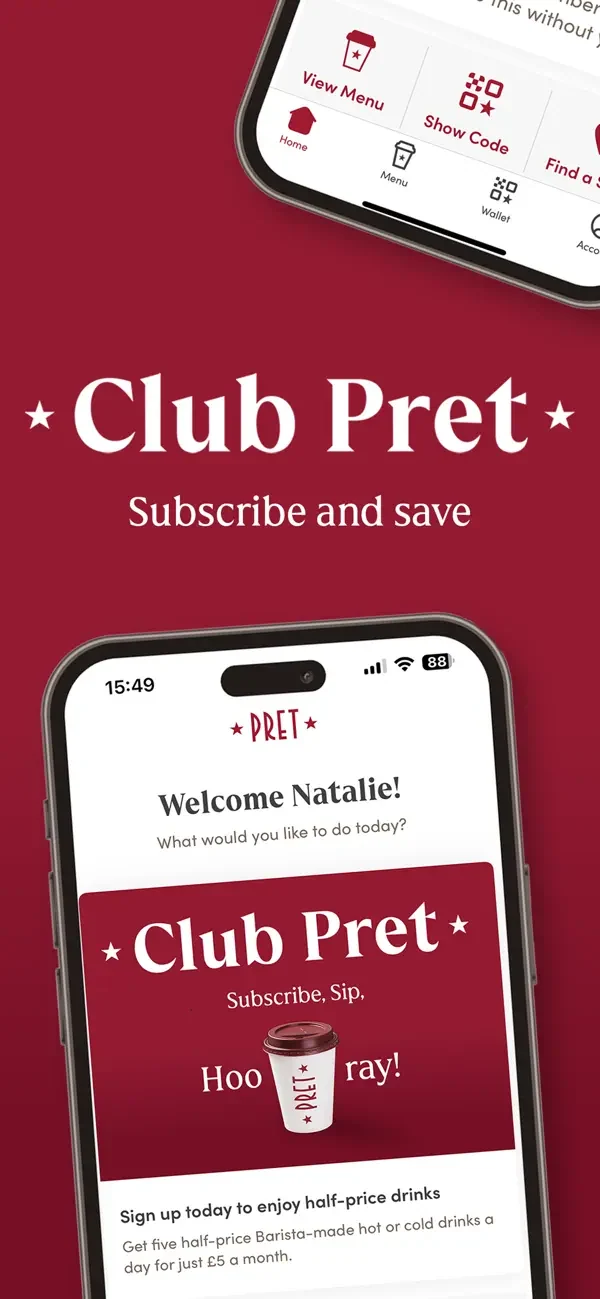
Club Pret: explain the offer being activated
Pret’s official subscription screen illustrates why setup begins with a clearly described entitlement. A continuing paid benefit needs different rules from a completed stamp reward.
Source: Club Pret programme · Official app screenshots.
6. Prepare staff for more than signup
Give the team a short explanation and a practical operating note.
Customer explanation: “Save our loyalty card to your phone and show it for qualifying purchases. We’ll scan it to add your progress towards the listed reward.”
The operating note should say where the scanner is, how to award and redeem, what staff can correct, and who handles exceptions. Test the process with someone who was not involved in designing the scheme.
7. Put the QR code where customers can act
Place it beside the moment of explanation: checkout, reception or an appropriate booking message. Include the main reward and enough contrast for a clean scan.
Check the printed code on real phones and at the distance customers will use it. A code that scans from your design file can fail when printed too small, placed behind glare or cropped by a sign holder.
Keep the staff-scanning device separate from the customer signup sign. One starts enrolment; the other records later activity.
8. Launch a manageable pilot
Choose a period or customer group your team can support. Record questions, failed saves, missed scans and redemption issues. Fix the process before increasing promotion.
A pilot needs an owner. Someone should review customer feedback, confirm staff have working access and keep the rules consistent across shifts.
MSTRMND advertises setup within 24 hours. Confirm when that clock starts for your own project and what branding, approvals, payment setup or integrations are needed. A launch estimate is not a substitute for testing.
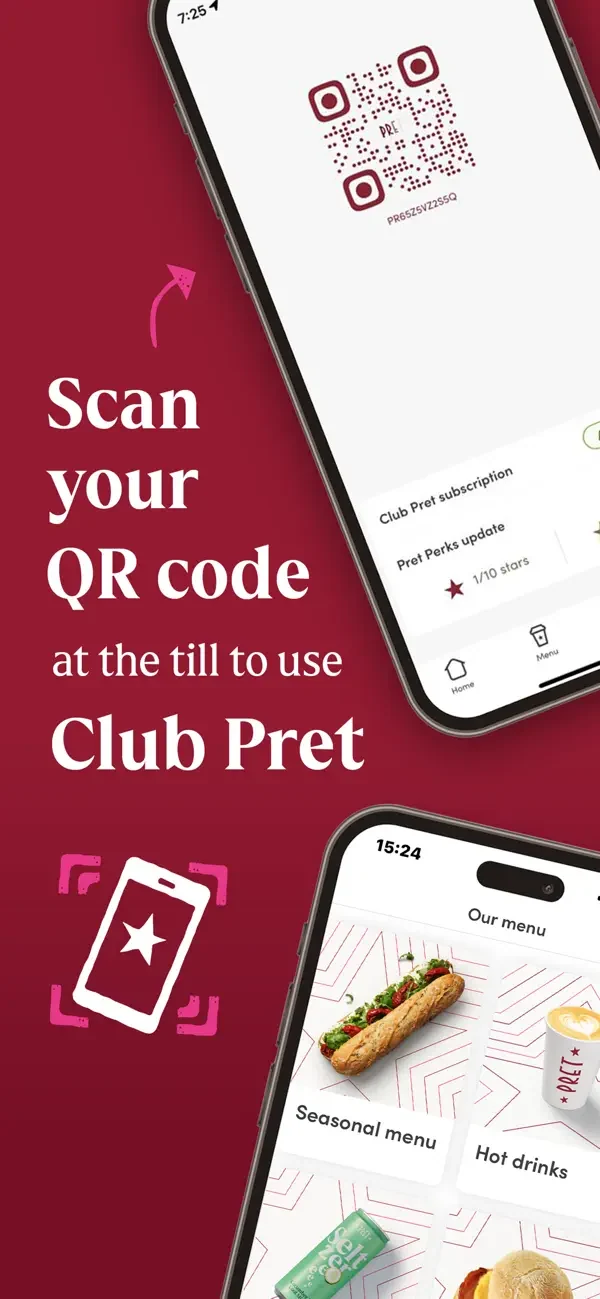
Test the point where the customer uses the benefit
Pret’s published QR screen links the customer code with using Club Pret. Your own rehearsal should reach redemption as well as enrolment.
Source: Club Pret programme · Official app screenshots.
9. Add follow-ups deliberately
Decide which messages would be useful and who is eligible to receive them. A nearly earned reward or relevant return invitation needs a clear reason and appropriate permission.
Flann can be added as a connected AI business operations platform for marketing, customer conversations and other work. Configure the relevant tools and approval choices deliberately. You do not need to introduce every automation to launch a straightforward card programme.
10. Review the objective and the cost
Track new members, qualifying use, returns and reward redemptions. Add software, relevant messaging, reward delivery and administration costs.
Set the review period around the purchasing cycle. Keep the definitions stable and record changes to the offer or process. The measurement guide includes a scorecard and worked examples.
Pro tip. Do one rehearsal from the customer’s side and one from the staff side. A programme is ready when both journeys work without the owner narrating each step.
Frequently asked questions
What do I need before starting?
A clear objective, business branding, a proposed reward and someone responsible for the programme. You will also need suitable devices and the relevant setup for your chosen workflow.
Do I need to replace my till?
A staff-scanning programme can run alongside the existing checkout process. If you want automatic transaction-linked awards, verify the required integration first.
How long does setup take?
It depends on your requirements and readiness. MSTRMND promotes a 24-hour setup, but confirm the scope and prerequisites for your business rather than assuming every integration is included immediately.
Can customers join without downloading a loyalty app?
Yes. MSTRMND uses Apple Wallet and Google Wallet passes instead of a dedicated MSTRMND customer loyalty app. Customers still need the appropriate wallet on a supported phone.
Should I move old stamps or points into the new scheme?
Decide and communicate a fair transition before launch. Confirm what the platform can import or adjust, and how existing progress will be verified.
When should I add Flann?
When you have a useful connected workflow and know what it should do. A clear reward and reliable customer records provide a stronger starting point than automating an unclear process.
What should I check during a demo?
Ask to see signup, wallet saving, a staff scan, earning, redemption and a correction. Confirm your required card types, plan, integrations and reporting.
Plan your launch with a working demonstration
Book a MSTRMND demo or return to the digital loyalty card hub.